Turn any song into a piano tutorial people can actually follow.
Drop in a MIDI or MusicXML file. A few minutes later you have a polished video with real grand piano sound, note letters and hands-separate practice parts, ready for YouTube, Reels and TikTok. No filming, no editing, no keyboard needed.
What do you want your piano videos to do?
Grow a piano channel
Post a polished tutorial every day without filming, retakes or editing. Every size, thumbnail and opening hook is made for you.
For creatorsHelp students practice right
Send each student a video of their piece: one hand at a time, slowed down, with every note named. They practice the right notes between lessons.
For teachersLearn the songs you love
See every note before you play it, hear it slow, and learn one hand at a time. You don't need to read sheet music.
For learnersOne tutorial video. Two ways to make it.
Most piano tutorials take a whole evening of filming and editing. Here, the slow parts are done for you.
The usual way an evening
- Set up a camera and lights over the keys
- Play the song until one take has no mistakes
- Screen-record a falling-notes program
- Add titles and note names in a video editor
- Design a thumbnail by hand
- Re-cut a vertical version for Reels and TikTok
With LearnPianoVideos a few minutes
- Open the song file (MIDI or MusicXML)
- Pick a look and switch on tutorial mode
- Tick the sizes you want and press Export
Note letters, the opening hook, a seamless Reel loop, the YouTube thumbnail and the Reel cover all come out of that one export.
Everything a piano video needs to get watched, saved and learned from.
A complete lesson, built from the song for you.
Tutorial mode splits the song at its natural phrase endings and teaches it the way a good teacher would: right hand alone at practice speed, then the left hand, then both together, then the whole song. Viewers don't just watch. They learn it, and they stay to the end.
- Parts cut where the music breathes, never mid-phrase
- Choose the practice speed for the hands-alone parts
- Part labels on screen and chapter times for YouTube
- Note letters on the falling notes and the keys
One song becomes a week of posts.
Tick YouTube, 4K, Reels/TikTok/Shorts, the 4:5 feed and square, and get all of them from a single export. Phone versions keep the text clear of the app buttons and captions. Short versions loop seamlessly, so they replay on their own.
- Seamless loops cut on the bar line for Reels and Shorts
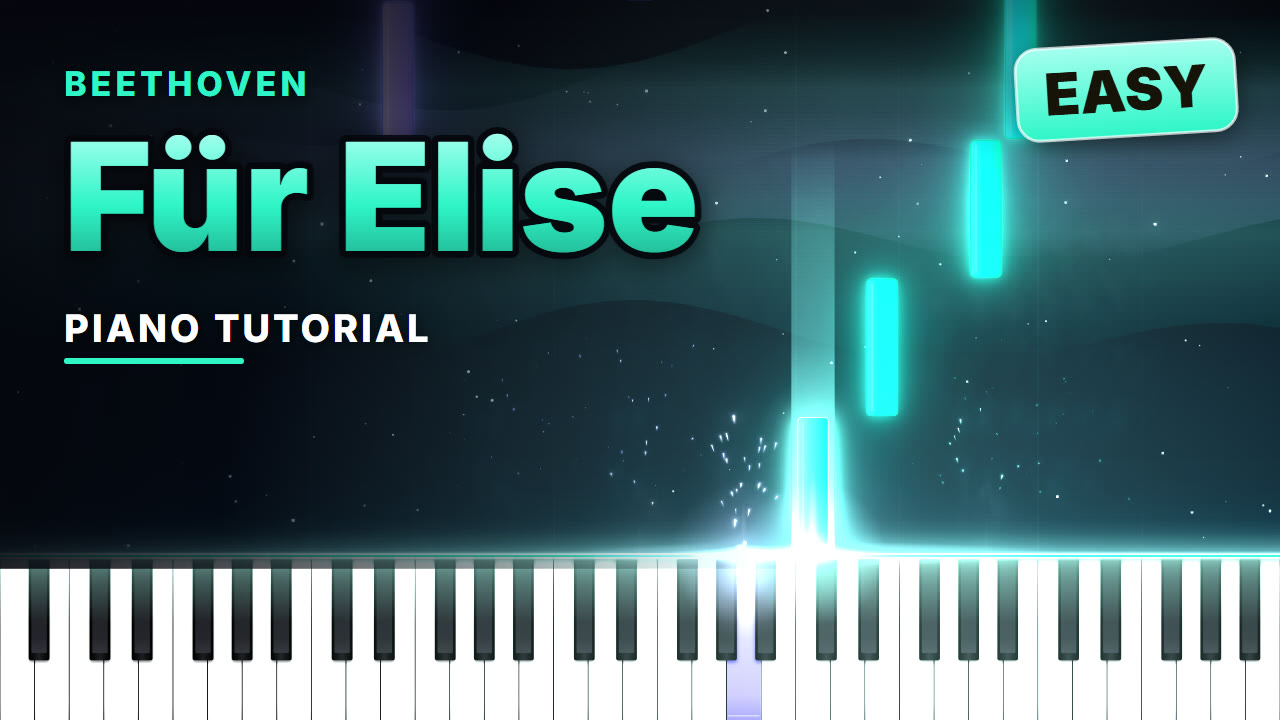
- Scroll-stopping openers like "How to play Für Elise in 40 seconds"
- A YouTube thumbnail and a Reel cover, made automatically
- Full HD and 4K at 60 frames per second
A look people recognize as yours.
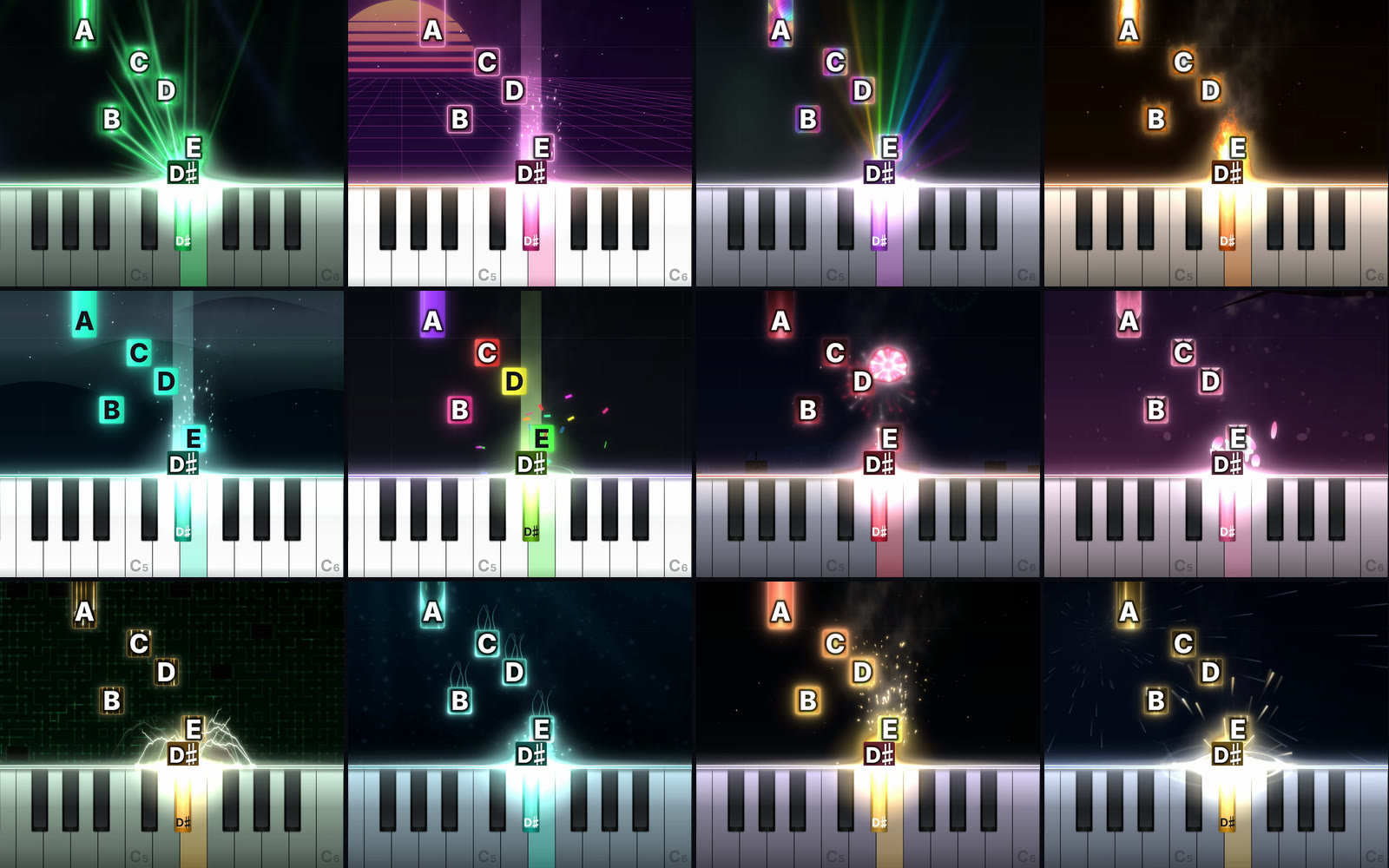
Go candlelit and calm, neon and loud, or anything between. Every look has real lighting, glow, sparks and smoke. Build your own from a color palette or a photo, and your videos stay on brand without a designer.
- Your own background picture for each song
- Cinematic camera moves that zoom in and pull back
- Note fall speed and letter size to taste
The small things that make viewers stay.
A real concert grand, not a beep
Every note is played with sampled grand pianos, mixed to sound full on phone speakers and headphones alike.
Note letters anyone can read
Letters on the falling notes and on the pressed keys, in sharps or flats, with or without octave numbers, at the size you choose.
Practice player
Slow any song to 25%, show one hand at a time, and jump to any bar.
Just the part you want
Export the chorus, the hard bars, or the whole piece.
Private by design
Videos are made on your own computer. Your files are never uploaded.
From song file to finished video in three steps.
Open your song
Drop a MIDI (.mid) or MusicXML (.mxl, .musicxml) file into the app. Any notation app can export one, and many songs are available as downloads online. It plays back instantly, exactly as written.
Make it yours
Pick a look, switch on note letters and tutorial mode, add your title. The preview shows exactly what you'll get.
Export and post
Tick the sizes you want and press Export. Your video files, thumbnail and Reel cover download straight to your computer.
Start free. Go Pro when your videos go out to the world.
Free
Everything you need to try it on your own songs.
- Unlimited videos
- All 50+ looks and the look maker
- Tutorial mode and note letters
- Practice player with speed control
- YouTube size (16:9) at 480p
- Small LearnPianoVideos watermark
- Reels, TikTok, Shorts, feed and square sizes
- Thumbnails and Reel covers
Pro
Cancel anytime in two clicks.
- No watermark, your videos look like yours
- Full HD 1080p and 4K at 60 fps
- Reels, TikTok and Shorts with seamless loops
- 4:5 feed and square sizes
- Every size from one export
- Automatic YouTube thumbnails and Reel covers
- Everything in Free
Good to know
What files can I use?
MIDI (.mid, .midi) and MusicXML (.mxl, .musicxml, .xml). Every notation app, including MuseScore, Sibelius, Finale and Dorico, can export MusicXML, and MIDI files are available for a huge number of songs. Reading PDFs and photos of sheet music is not available yet.
Do I need to play the piano or own a keyboard?
No. The song is played from the file with a sampled grand piano, so you don't need to play anything or record any sound.
Can I post the videos and earn money from them?
The videos you make are yours to post and monetize. The music is a separate question: songs in the public domain (Bach, Beethoven, Chopin, Debussy and most classical music) are free to use. For songs still under copyright, platforms like YouTube may share the earnings with the rights holder, as they do for any cover.
What do I need to run it?
A Mac or Windows computer with a recent Chrome or Edge browser. There is nothing to install. Videos are made on your own computer using its graphics chip, so a newer computer makes them faster. Phones can watch videos but can't make them yet.
Are my files uploaded anywhere?
No. Your songs, pictures and finished videos stay on your computer. Nothing is sent to our server.
Can I cancel Pro?
Yes, anytime, from your account. You keep Pro until the end of the period you paid for, and the videos you made are yours to keep forever.
Your first video can be done in the next five minutes.
Open the app, drop in a song, press Export. Free, no account, nothing to install.
Make your first video free