Students who practice the right notes between lessons.
Most of a lesson goes to un-learning the mistakes a student practiced all week. Send them home with a video of their own piece, one hand at a time, slowed down, with every note named, and spend your lessons moving forward instead.
The week between lessons is where progress is won or lost.
A student leaves your lesson knowing the passage. Three days later they're practicing a wrong note, the wrong rhythm, or the hands together far too fast. By the next lesson the mistake is a habit.
They forget how it should sound
The video plays their exact piece on a grand piano, at a speed they can follow. They always have a correct model to copy.
They can't read the notes yet
Letters on every falling note and every key mean beginners see what to play, while the music still teaches their ear.
They rush to hands together
Tutorial mode plays the right hand alone, then the left hand alone, at practice speed, before putting them together. Good practice habits are built in.
You don't have time to film for everyone
No camera, no recording. Open the piece's MIDI or MusicXML file, press Export, and the video is ready while you write the lesson notes.
Five minutes after the lesson. A whole week of better practice.
Open the student's piece
Export MusicXML from MuseScore, Sibelius, Finale or Dorico, or use a MIDI file. Pick just the bars you assigned this week.
Set it to their level
Choose the practice speed, turn on note letters, and switch on tutorial mode for hands separate, then together.
Send it
The video downloads to your computer. Share it however you already reach students: email, a shared folder, a private YouTube link or your studio app.
Your best marketing is a video of your teaching style.
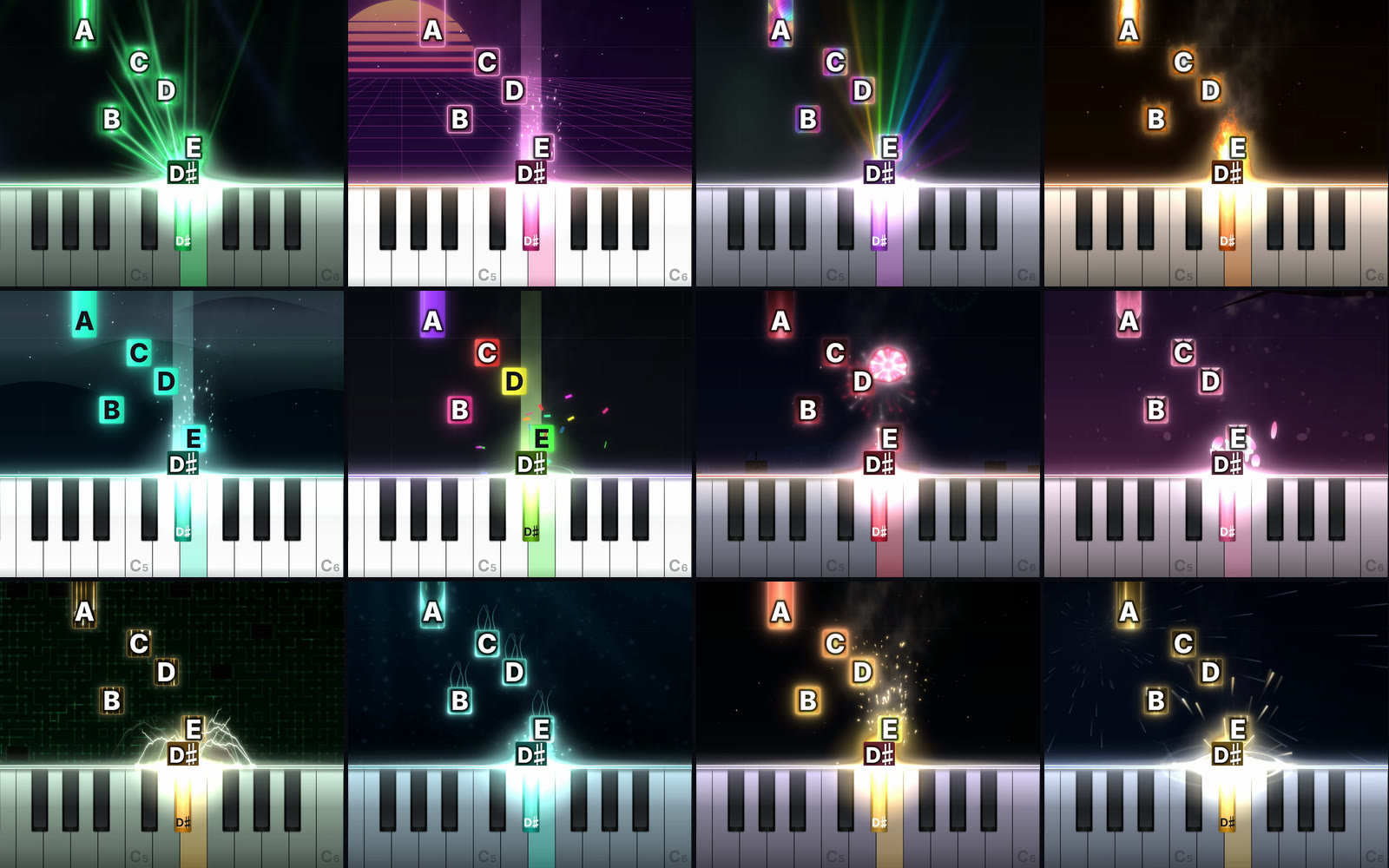
Post short tutorials of the pieces your students love, in your studio's colors, and let parents and new students find you. Pro makes the Reel, TikTok and Shorts versions and the thumbnails for you.
- A look in your studio's colors, built from a palette or your logo
- Openers like "How to play Clair de Lune in 60 seconds"
- Full HD and 4K for your website and YouTube
Less than one lesson a month.
Start free. Upgrade to Pro for clean, watermark-free HD videos and every size.
Free
Everything you need to try it on your own songs.
- Unlimited videos
- All 50+ looks and the look maker
- Tutorial mode and note letters
- Practice player with speed control
- YouTube size (16:9) at 480p
- Small LearnPianoVideos watermark
- Reels, TikTok, Shorts, feed and square sizes
- Thumbnails and Reel covers
Pro
Cancel anytime in two clicks.
- No watermark, your videos look like yours
- Full HD 1080p and 4K at 60 fps
- Reels, TikTok and Shorts with seamless loops
- 4:5 feed and square sizes
- Every size from one export
- Automatic YouTube thumbnails and Reel covers
- Everything in Free
Good to know
What files can I use?
MIDI (.mid, .midi) and MusicXML (.mxl, .musicxml, .xml). Every notation app, including MuseScore, Sibelius, Finale and Dorico, can export MusicXML, and MIDI files are available for a huge number of songs. Reading PDFs and photos of sheet music is not available yet.
Do I need to play the piano or own a keyboard?
No. The song is played from the file with a sampled grand piano, so you don't need to play anything or record any sound.
Can I post the videos and earn money from them?
The videos you make are yours to post and monetize. The music is a separate question: songs in the public domain (Bach, Beethoven, Chopin, Debussy and most classical music) are free to use. For songs still under copyright, platforms like YouTube may share the earnings with the rights holder, as they do for any cover.
What do I need to run it?
A Mac or Windows computer with a recent Chrome or Edge browser. There is nothing to install. Videos are made on your own computer using its graphics chip, so a newer computer makes them faster. Phones can watch videos but can't make them yet.
Are my files uploaded anywhere?
No. Your songs, pictures and finished videos stay on your computer. Nothing is sent to our server.
Can I cancel Pro?
Yes, anytime, from your account. You keep Pro until the end of the period you paid for, and the videos you made are yours to keep forever.
Make a practice video for your next student.
Try it with the piece you're teaching this week. Free, no account needed.
Make a practice video free