Post a polished piano tutorial every day. Without filming one.
The channels that grow are the ones that post often. LearnPianoVideos turns a song file into a finished tutorial, a looping Reel, a thumbnail and a cover in one export, so you can keep up the pace without giving up your evenings.
Making piano content is slow. The algorithm doesn't wait.
One good tutorial can eat a whole evening: setting up the camera, getting a clean take, editing, adding note names, designing a thumbnail, then cutting it again for Reels and TikTok. Most creators burn out on the editing, not the music.
"I can only post once a week."
One export gives you the full YouTube tutorial and the phone versions at the same time. A single song covers a week of posts across every platform.
"My Reels die after two seconds."
Every phone video can open with a hook like "How to play Für Elise in 40 seconds" or your own POV line, and short versions loop seamlessly so viewers watch them twice.
"Thumbnails take me forever."
The app picks the busiest moment of the song, sets the title big, adds a level sticker like EASY or SLOW, and makes a matching Reel cover. Done before you'd have opened a design app.
"My videos look like everyone else's."
Choose from 50+ looks with real lighting and effects, or build your own from your brand colors or a photo. Viewers start to recognize your videos before they see your name.
Tutorials people watch to the end.
Tutorial mode teaches the song in parts: right hand slowly, left hand slowly, both hands, then the full piece. It's the format viewers search for, and every part gives them a reason to keep watching. Chapter times are ready to paste into your YouTube description.
- Parts cut at natural phrase endings
- Practice speed you choose, from 50% to full speed
- "Play it first" opening so viewers hear the goal
- Note letters always on in tutorials
Made for each platform, not stretched to fit.
YouTube gets a 16:9 tutorial in 1080p or 4K at 60 fps. Reels, TikTok and Shorts get a full-screen 9:16 version that keeps your text clear of the like buttons and captions. Feed posts get 4:5 and square.
- Short, medium and long loops, cut on the bar line
- Opening hooks and POV lines for the first second
- Optional closing card pointing to your full tutorial
- Cinematic zoom-ins and pull-backs
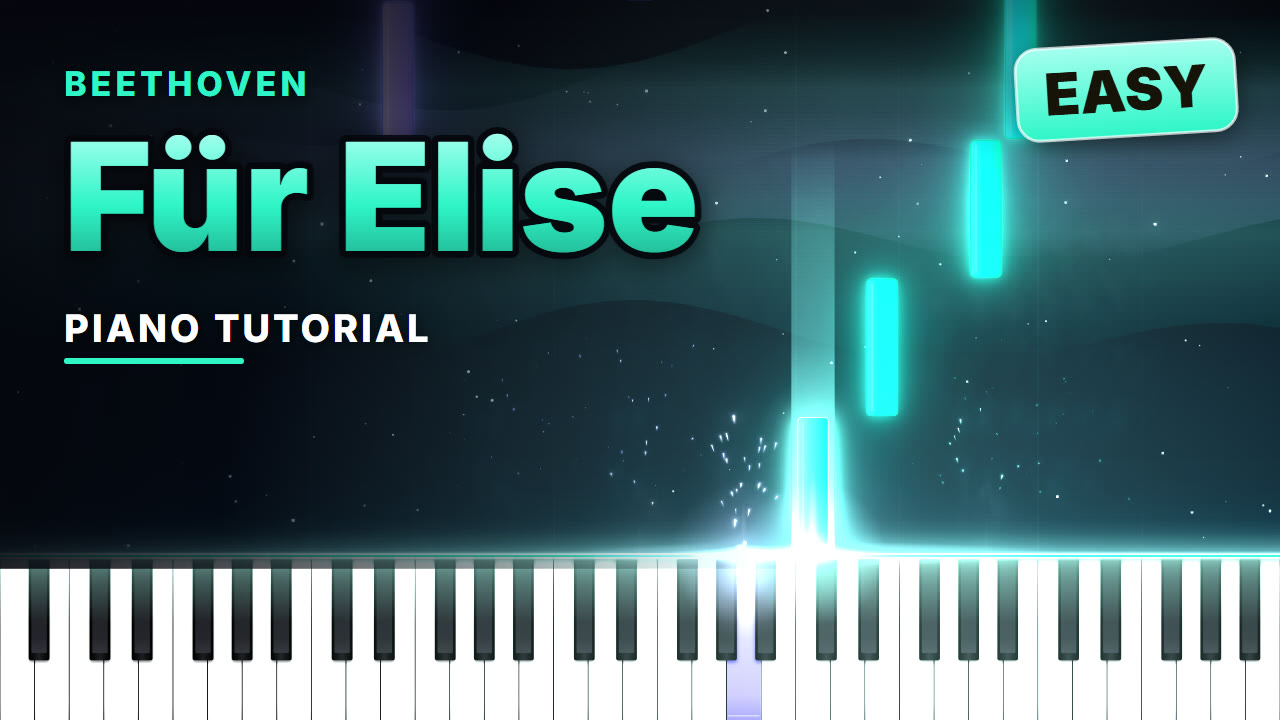
Here's what one export can give you.
The YouTube tutorial
The full lesson in 16:9 with chapters, a thumbnail and an opening hook. Your long-form anchor for the week.
The Reel, TikTok and Short
A looping 9:16 version with a scroll-stopping first second and a cover image, ready to post on all three.
Feed and square posts
4:5 and square cuts for the Instagram and Facebook feed, so the same song keeps working all week.
Free to try. Pro when you're ready to post.
Free
Everything you need to try it on your own songs.
- Unlimited videos
- All 50+ looks and the look maker
- Tutorial mode and note letters
- Practice player with speed control
- YouTube size (16:9) at 480p
- Small LearnPianoVideos watermark
- Reels, TikTok, Shorts, feed and square sizes
- Thumbnails and Reel covers
Pro
Cancel anytime in two clicks.
- No watermark, your videos look like yours
- Full HD 1080p and 4K at 60 fps
- Reels, TikTok and Shorts with seamless loops
- 4:5 feed and square sizes
- Every size from one export
- Automatic YouTube thumbnails and Reel covers
- Everything in Free
Good to know
What files can I use?
MIDI (.mid, .midi) and MusicXML (.mxl, .musicxml, .xml). Every notation app, including MuseScore, Sibelius, Finale and Dorico, can export MusicXML, and MIDI files are available for a huge number of songs. Reading PDFs and photos of sheet music is not available yet.
Do I need to play the piano or own a keyboard?
No. The song is played from the file with a sampled grand piano, so you don't need to play anything or record any sound.
Can I post the videos and earn money from them?
The videos you make are yours to post and monetize. The music is a separate question: songs in the public domain (Bach, Beethoven, Chopin, Debussy and most classical music) are free to use. For songs still under copyright, platforms like YouTube may share the earnings with the rights holder, as they do for any cover.
What do I need to run it?
A Mac or Windows computer with a recent Chrome or Edge browser. There is nothing to install. Videos are made on your own computer using its graphics chip, so a newer computer makes them faster. Phones can watch videos but can't make them yet.
Are my files uploaded anywhere?
No. Your songs, pictures and finished videos stay on your computer. Nothing is sent to our server.
Can I cancel Pro?
Yes, anytime, from your account. You keep Pro until the end of the period you paid for, and the videos you made are yours to keep forever.
Make this week's videos tonight.
Open the app, drop in a song and see your first tutorial in minutes. Free, no account needed.
Make your first video free